

When to Create New Task Attempts
Create a new task attempt when you want to:- Start from scratch with a different approach after an unsuccessful attempt
- Try a different coding agent (e.g., switching from Claude to Codex)
- Use a different agent profile or variant for specialised behaviour
- Work from a different base branch to incorporate recent changes
- Reset the conversation context for a completely fresh start
Creating Additional Attempts
To create a new task attempt for an existing task:1
Navigate to the task
Open the task that needs a fresh attempt.
2
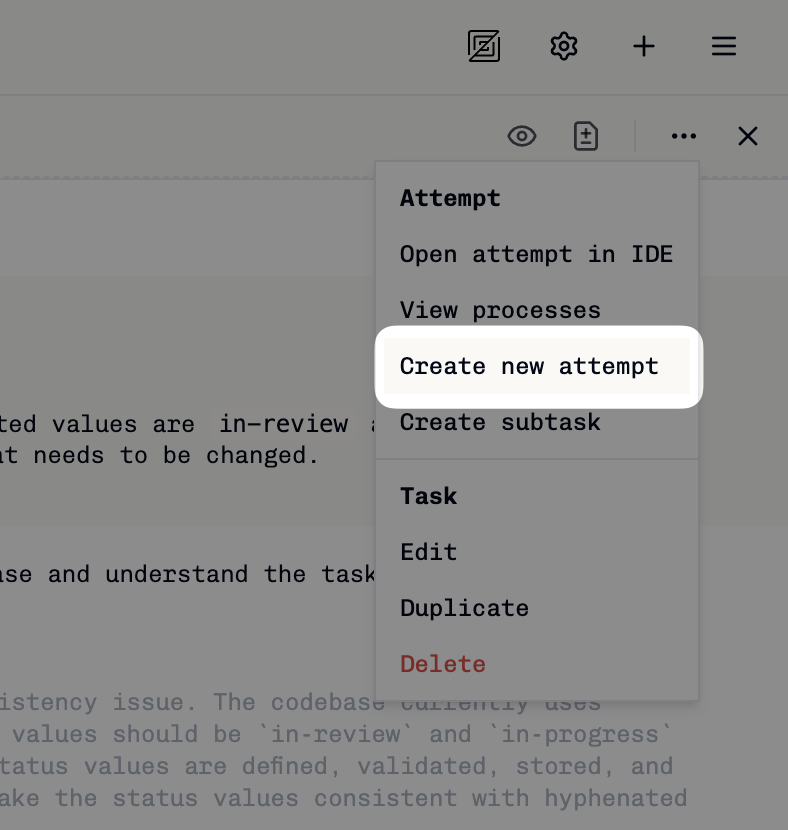
Click Create New Attempt
Click the triple dot icon in the top right of the task, then select Create New Attempt.
3
Configure the attempt
Choose your agent profile, variant, and base branch. These can be different from previous attempts.
4
Start execution
Click Create Attempt to begin a fresh execution with the new configuration.
Impact on Subtasks
When you create a new task attempt:- Existing subtasks remain linked to their original parent attempt
- New subtasks created from the new attempt will use the new attempt’s branch as their base
For more details about how subtasks work with task attempts, see Creating Subtasks.