

Creating Subtasks
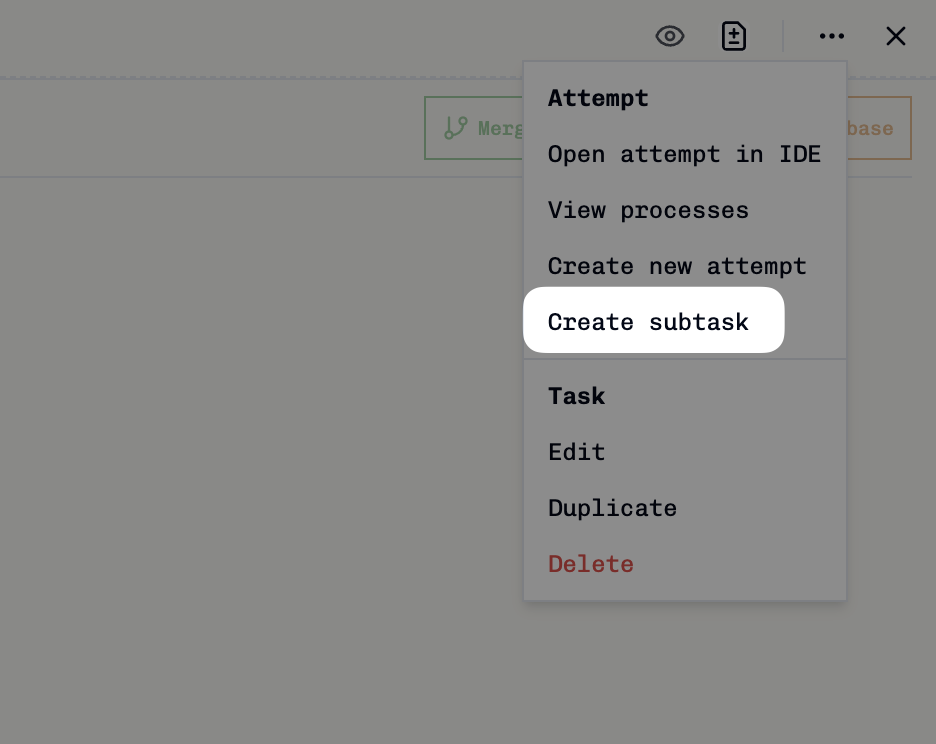
1
Navigate to the task attempt
Open the task you want to create subtasks for.
2
Click Create Subtask
Click the triple dot icon in the top right of the task, then select Create Subtask.
3
Fill in subtask details
The task creation dialog opens with the parent task attempt and base branch automatically set. Add your subtask title and description.
4
Save the subtask
Click Save to create the subtask. It will appear as a new task on your kanban board.
When you create a subtask, it automatically inherits the base branch from its parent task attempt, ensuring consistency in your development workflow.
Viewing Tasks with Subtasks

- Child Tasks with a count (e.g., “CHILD TASKS (1)”)
- Individual subtask titles with links to view them
- Easy navigation between parent and child tasks
Viewing Subtask Details

- Parent Task section showing the parent task title
- Direct link to navigate to the parent task
- Clear visual indication that this is a child task
- Context about the parent-child relationship
How Subtasks Work
Subtasks in Vibe Kanban follow these key principles:Git Branching Workflow
Subtasks create their own feature branches that can work independently while maintaining connection to the parent task:Parent-Child Relationships
- Subtasks are linked to specific task attempts, not just tasks
- Each subtask knows which attempt created it
- Multiple subtasks can be created from the same parent attempt
Branch Inheritance
- Subtasks automatically inherit the base branch from their parent attempt
- This ensures subtasks work within the same development context
- You can modify the branch when creating the subtask if needed
Independent Task Lifecycle
- Subtasks appear as regular tasks on your kanban board
- Each subtask has its own lifecycle (To do → In Progress → In Review → Done)
- Subtasks can have their own task attempts and coding agents